

The tool I’m using to create my videos is Pixverse, and they give out free daily credits for you to play around with.
PART 1: FIRST FRAME IMAGE PROMPT
Create the first frame of the video by generating an image in Pixverse.
I usually use the Nano Banana 2 model but do play around with other models to fit your needs.
Here is the prompt:
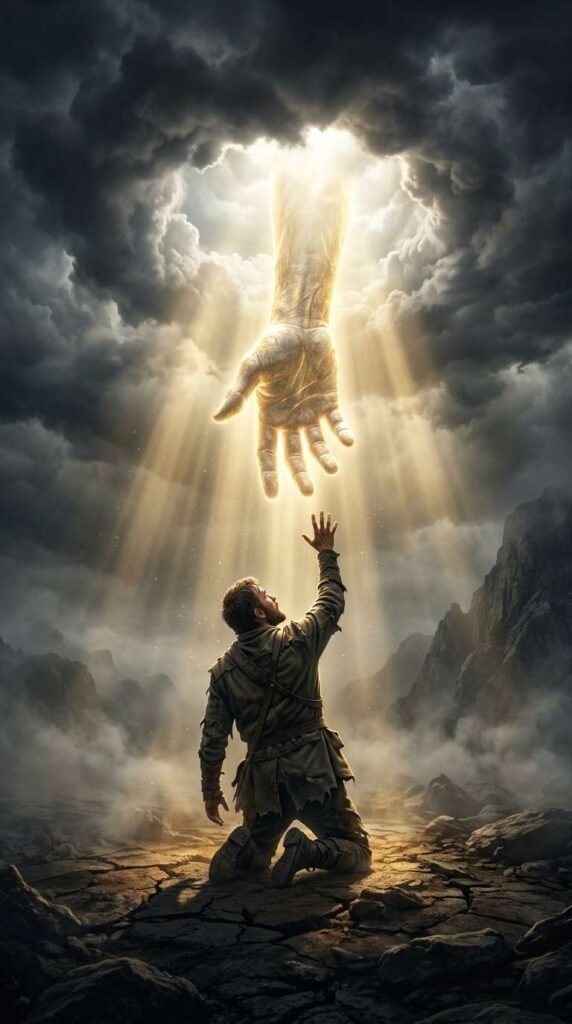
Cinematic 8k artwork of a lone male figure in worn clothes kneeling in a dark, misty, desolate landscape, reaching his hand high up toward the sky. Emerging through parted storm clouds above is a colossal, glowing divine hand extending downward to reach him. Radiant golden volumetric light rays pierce through the dark clouds, illuminating floating dust particles and creating a dramatic high-contrast heavenly atmosphere. Photorealistic textures, intense chiaroscuro lighting, epic divine concept art style, 8k resolution.
PART 2: VIDEO PROMPT SCRIPT (SHOT-BY-SHOT)
I used Seedance Mini (promotional price now) to generate the video. So much cheaper now but still high quality. Remember to set your aspect ratio, length, and audio on. Alternatively, Pixverse V6 is definitely worth a try too. High quality and one of the lowest cost models.
This is the exact prompt I used:
Concept: The Divine Reach (10 Seconds)
Style/Lighting: Dramatic chiaroscuro, golden divine rays, slow atmospheric camera motion, spiritual epic art.
- 0:00 – 0:02: The Hook. Static low-angle shot of a lone figure sitting in a dark, foggy wasteland, reaching a hand high up toward a colossal divine hand descending through parted clouds.
- 0:02 – 0:05: The Descent & Light. Golden rays of light intensify, streaming through the clouds as the giant divine hand slowly lowers lower toward the human hand. Floating light particles drift subtly through the air.
- 0:05 – 0:08: The Near Contact. The camera performs a slow push-in toward the space between the two outstretched hands. Fingers align closely, glowing with bright warm light at the focal point.
- 0:08 – 0:10: The Heavenly Bloom. A sudden gentle pulse of light blooms from the fingertip gap, illuminating the mist surrounding the man and creating a peaceful, lingering visual loop.
Here’s a tip: You can generate the video using 720p as the resolution instead of 1080p. This will reduce the cost dramatically. Download the video and upscale it here.
PART 3: MUSIC TRACK
This was created inside Pixverse as well.
I like the Google Lyria model but you can also choose to use MiniMax or Elevenlabs too.
Here is the prompt:
Audio Prompt / Sound Mix Direction: Deep, ethereal orchestral pads combined with a majestic choral choir and subtle ambient wind.
- 0:00 – 0:03: Opens with a low, echoing bass drone layered with soft wind rustling across a desolate landscape.
- 0:04 – 0:07: Reverberating angelic choir harmonies slowly swell as the golden light brightens.
- 0:08 – 0:10: A warm, resonant orchestral note peaks at the moment of near-contact, fading into a peaceful, echoing vocal hold.
PART 4: PUTTING IT ALL TOGETHER
Finally, I uploaded the finished video and audio track into Capcut (or Canva) and made slight adjustments to the color to my liking. If you are trying to monetize with Facebook using the Content Monetization program, take note that your videos need to be at least 10 seconds long. A trick you can use is to adjust the speed of your video to 0.95, which adds half a second to a 10 seconds video, ensuring you comply with the requirements.
That’s it! Don’t forget to try out Pixverse as it’s one of the most capable and value for money tools out there right now!